We started with one tiny message loop: send messages to a model, run requested tools, append the results, and repeat.
agent loop:
  - receive task
  - call model
  - run tool calls
  - append tool results
  - repeat until done
Then we added tools, a harness, a workspace, permissions, a CLI, project context, memory, compression, tests, and evals.
The loop around the loop
A single agent run still depends on a user to drive it. You notice work, write the prompt, watch the output, decide what to do next, and remember what happened.
Loop engineering moves this one level up. Instead of only prompting an agent, you design the loop that prompts agents.
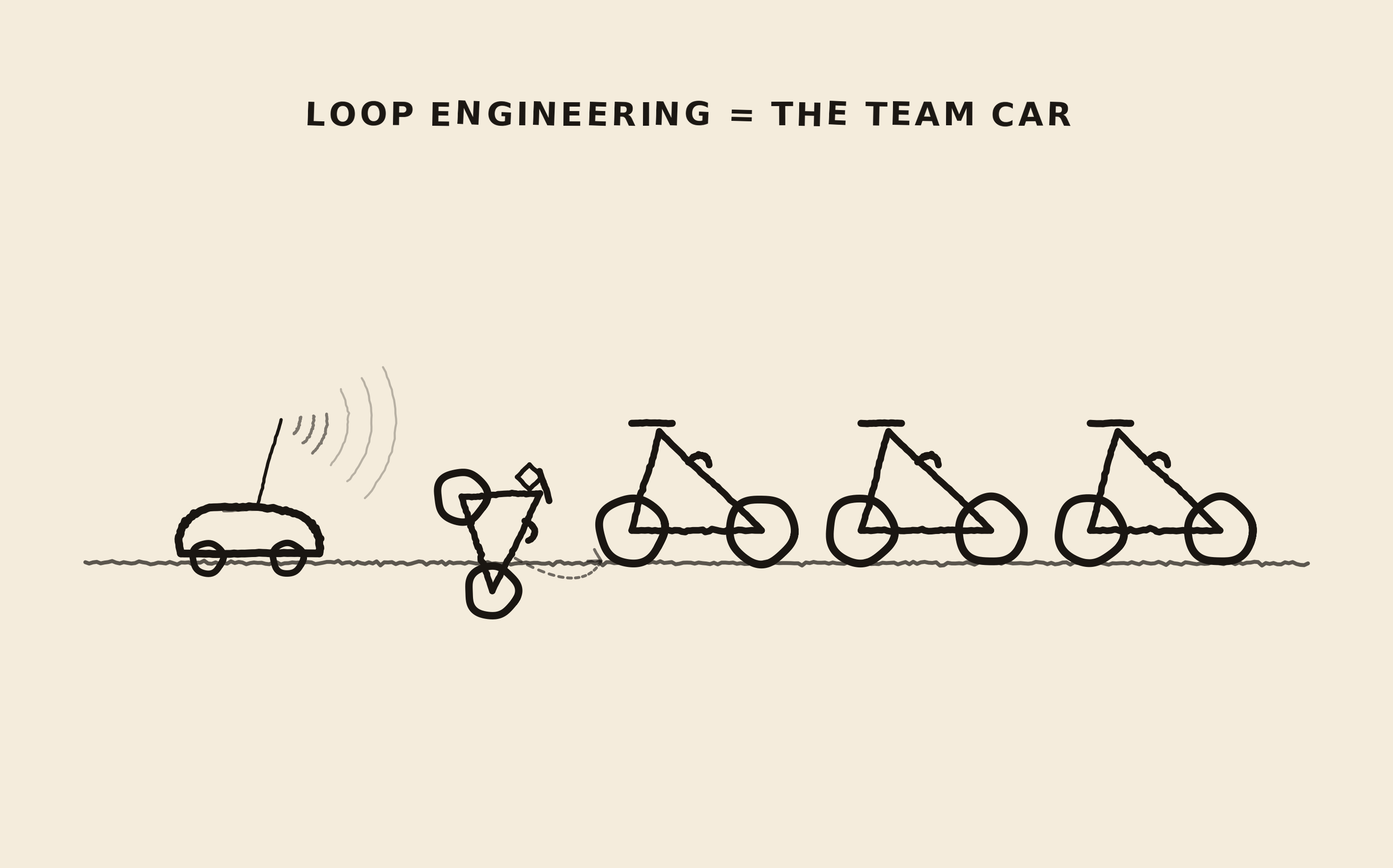
Just like the team car from the image that carries supplies, watches the situation, coordinates the next move, and decides when the rider needs help. Loop engineering is that support system around the agent.
outer loop:
  - discover work
  - choose what is worth doing
  - prepare context
  - start an isolated agent run
  - verify the result
  - record what happened
  - decide the next action
The loop has inputs, state, policies, execution paths, checks, and stopping conditions.
Addy Osmani describes loop engineering as the shift from being the person who keeps prompting the agent to designing the system that does that work. To do a complete system we do need both. Automation and user driven control.
Start with the inner loop
Earlier, we treated the harness as the code that wraps one agent run.
harness responsibilities:
  - call the model
  - expose tools
  - execute tool calls
  - enforce permissions
  - manage workspace boundaries
  - build context
  - store memory
  - compact long runs
  - emit traces
The outer loop decides when to run the harness, what task to give it, which workspace it should use, which checks matter, and what should happen after the run finishes.
loop engineering:
  harness + scheduler + state + verification + routing
Where does the work come from?
The outer loop needs a source of work. For a coding agent we already have artifacts that fit very well.
possible work sources:
  - Jira or Linear issues
  - failing CI
  - stale pull requests
  - TODO comments
  - dependency updates
  - flaky tests
  - user requests
  - your system observability
  - customer success requests or feedback
  - regression reports
Our first version does not need to be autonomous. We will build it as a command you can run manually:
.venv/bin/python loop.py triage
.venv/bin/python loop.py work-on issue-42
.venv/bin/python loop.py eval
Later, the same logic can run on a schedule. The important thing is that work discovery becomes a structured input, not a vague prompt.
Your brain is not the database
An outer loop needs to remember what happened between runs as we know The Model itself will not remember. The Terminal will not remember. So your brain should not be the database, neither.
.loop/
  state.json
  runs/
    2026-07-15-issue-42.json
  notes.md
  eval-results.json
Our state can be a simple markdown file, JSON file, issue tracker, Linear board, or simple database. What matters is that the state lives outside the single conversation.
{
  "task": "Fix issue 42",
  "status": "needs_review",
  "workspace": "../worktrees/issue-42",
  "last_run": "2026-07-15T10:30:00Z",
  "checks": {
    "tests": "passed",
    "lint": "passed",
    "eval": "failed: missed edge case"
  },
  "next_action": "ask human to review failing eval trace"
}
This is where memory and compression become practical. Worth re-reading if you missed it earlier.
Give each agent its own lane
Once you run more than one agent, the workspace becomes a coordination problem. Two agents editing the same checkout can corrupt each other's work. A worktree gives each agent its own copy of the repo state to mutate.
main repo:
  clean, reviewable, human-owned

agent worktree:
  - isolated branch
  - task-specific changes
  - disposable if the run fails
After that, the outer loop can run several small tasks at once.
Not every agent has the same job
A loop does not need one agent that does everything. It can route different parts of the work to different roles.
roles:
  explorer:
    reads the codebase and explains the problem

  maker:
    edits files and runs tests

  checker:
    reviews the diff against the task and failure history

  summarizer:
    compresses the run into durable state
This separation of concerns is important as the agent that made the change is often too eager to call it done. A checker with a different prompt and stricter criteria gives the loop a better chance of noticing mistakes before you do.
This is the same idea we used in evals: separate the thing that produces the answer from the thing that judges it.
Done is not what the agent says
The outer loop should not treat "the agent said it is done" as done.
weak stop condition:
  assistant says "done"

better stop condition:
  - tests pass
  - diff is scoped
  - forbidden files are untouched
  - eval case passes
  - checker found no blockers
  - human accepted the change
In implementation, these checks are not only final labels. They can become feedback loops. If tests fail, the harness can send the failing output back into the agent and let it try again. If the diff touches a forbidden file, the harness can stop immediately. If the checker is unsure, the loop can ask a human.
check result:
  pass:
    continue or finish

  recoverable failure:
    add feedback to context
    let the agent try again

  policy failure:
    stop the run

  uncertain:
    ask a human
This is why the testing and eval posts come right before this one. A loop that cannot verify work is just an automatic mistake generator.
The loop can prepare a branch, run checks, summarize the result, and ask for review. Shipping can remain a user action.
The smallest outer loop
Here is the simplest shape of a loop controller.
def run_outer_loop():
    work_items = discover_work()
    state = load_state()

    for item in work_items:
        if not should_attempt(item, state):
            continue

        workspace = create_isolated_workspace(item)
        context = build_context(item, state, workspace)

        run = run_agent(
            task=item.prompt,
            workspace=workspace,
            context=context,
            permission_mode="ask",
        )

        checks = verify_run(run, workspace)
        record_result(state, item, run, checks)

        if checks.can_merge:
            create_pull_request(workspace, item, run)
        elif checks.needs_human:
            notify_human(item, run, checks)

    save_state(state)
discover_work -> where tasks come from
should_attempt -> priority and safety policy
create_workspace -> isolation
build_context -> context management
run_agent -> harness
verify_run -> tests and evals
record_result -> memory
notify_human -> product surfaceThat is the main lesson of the series. The model is powerful, but the product is the loop around it.
Autonomy is a permission level
Where to draw a line for autonomy is another product design decision worth exploring further.
safe autonomy:
  - inspect
  - summarize
  - propose
  - run read-only checks
  - prepare branches
  - draft pull requests

risky autonomy:
  - merge
  - deploy
  - delete data
  - change permissions
  - spend money
  - notify customers
The loop can become more autonomous where verification is strong and the blast radius is small. It should stay cautious where mistakes are expensive.
This is why permissions are product design. The user experience of "what can the agent do by itself?" is also the safety model.
Every failure should leave a mark
A good loop will also improve because every failure leaves a mark.
agent failed because it edited generated files
  -> add policy check
  -> add test
  -> update project instructions

agent failed because it lost the task goal
  -> improve context summary
  -> add state field
  -> add eval case

agent failed because it called the wrong tool
  -> rename tool
  -> tighten schema
  -> improve description
This is harness engineering becoming loop engineering. The single run produces evidence. The outer loop turns that evidence into better instructions, better checks, better permissions, better evals, and better state.
The system gets better when mistakes are structured.
You are still in the loop
Where do we see the user in the loop?
bad loop:
  - agent acts
  - agent claims success
  - human rubber-stamps

better loop:
  - agent acts
  - harness records evidence
  - checks run
  - evaluator reviews behavior
  - human reviews the important decision
What we built together
It's a wrap folks! The whole series is now complete.
01 loop:
  model + messages + repeat

02 tools:
  model proposes actions

03 harness:
  software decides what happens

04 workspace:
  agent gets a world to act in

05 permissions:
  product decides what is allowed

06 CLI:
  engineer gets a usable surface

07 context:
  project knowledge becomes an input

08 memory:
  useful state survives the run

09 compression:
  long work becomes resumable

10 tests:
  harness behavior becomes reliable

11 evals:
  agent behavior becomes measurable

12 loop engineering:
  the system starts prompting agents
Thank you for reading
Thank you for reading the series. If it helped you understand coding agents from first principles, you can buy me a beer!
Buy me a beer
Curious how much that buys in Finland? Check the beer price table.