In the last post, we gave the agent a workspace. That workspace tells the tools where they are allowed to act.
But path containment is only the first safety boundary. A path can be inside the workspace and still be a bad idea to touch.
write_file("src/app.py", new_code)
write_file(".env", "API_KEY=...")
write_file(".loop/PROGRESS.md", "done")
write_file("README.md", generated_summary)
All of these paths may be inside the project. They should not all be treated the same.
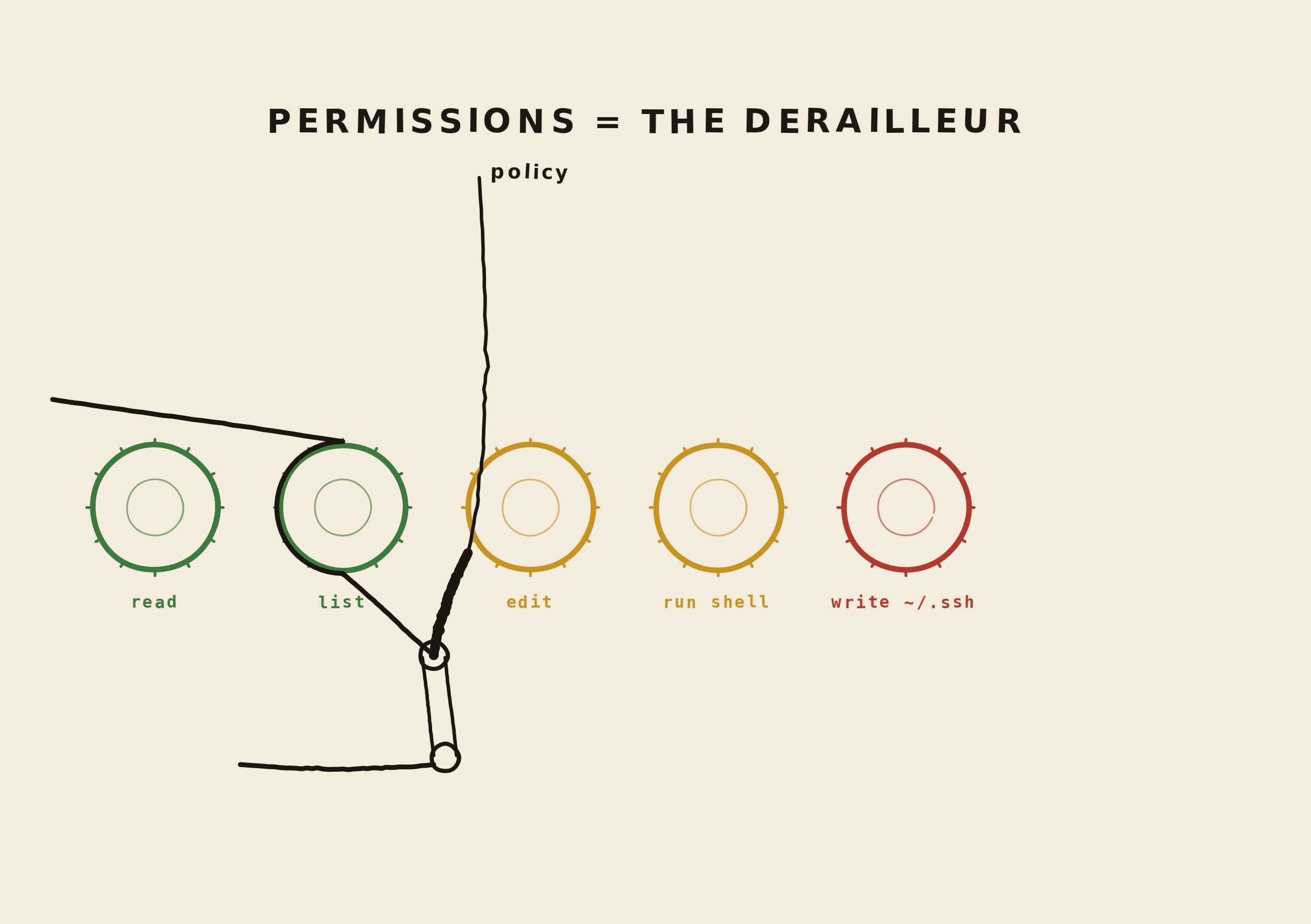
The derailleur chooses the gear
Permissions are not only the brake. They are also the derailleur: the mechanism that shifts an action onto the right track.
Reading a normal file can run in an "easy gear". Listing a directory is even safer. Editing source code moves to a higher-risk gear. Running shell commands or touching secrets should move into a gear that requires much more control, or stops completely.
Permission is not one bit
So should the agent be allowed to write files or not?
Real permission design is deeper than that. The harness needs to decide between at least three outcomes:
allow  run the action automatically
deny   block the action and explain why
ask    pause and ask the user first
Those three states are already product design. They shape how bold the agent feels, how much interruption the user sees, and how much trust the system earns.
Map the permission surface
A useful permission check looks at more than the tool name. It looks at the full action.
{
  "tool": "write_file",
  "path": "src/app.py",
  "operation": "overwrite",
  "reason": "update the route handler",
  "risk": "changes source code"
}
The harness can use that surface to make better
decisions. Reading README.md is low risk.
Reading .env is not. Writing
summary.txt is different from overwriting
pyproject.toml.
Reads are not all equal
Developers often talk about write permissions first because writes feel dangerous. But reads matter too, if not more! A coding agent may be able to read secrets, customer data, tokens, private notes, or unrelated projects.
That means read tools need policy as well.
LOW_RISK_READS = (
    "README.md",
    "src/",
    "tests/",
    "docs/",
)

BLOCKED_READS = (
    ".env",
    ".ssh/",
    "secrets/",
)
The exact lists will vary by product. The point is the habit: do not treat every readable file as equally safe to place in model context.
Writes need shape
A write is also not one thing. Creating a new draft file, overwriting source code, editing lockfiles, deleting a directory, and changing generated artifacts are different actions.
create new file       usually low risk
overwrite file        medium risk
edit source code      medium or high risk
edit config           high risk
delete file           high risk
write secrets         block
This is why a single write_file tool
becomes more useful once the harness can describe what
kind of write it is about to perform.
Asking is a product moment
Asking the user is not just a boolean permission gate. It is a product moment. The user should understand what the agent wants to do, why it wants to do it, and what could go wrong.
The agent wants to overwrite:
  src/app.py

Reason:
  update the route handler to read notes.txt

Risk:
  changes source code

Approve? [y/N]
A vague prompt like "Allow tool call?" is not enough. The confirmation should translate the tool call into human terms.
You will implement real interactive confirmation in the CLI post. For now, the important idea is that the policy layer should be able to say: this action is not denied, but it needs a person.
Approval needs a scope
Real coding agents go one step further. They do not only ask "yes or no?" They ask how long that answer should last.
Claude Code has permission modes for different working styles, from asking before edits to accepting edits, planning, auto mode, and locked-down pre-approved tools. Codex has a similar product idea through approval modes and permission profiles: read-only, workspace editing, broader sandboxed autonomy, and custom filesystem or network boundaries.
allow once
allow for this session
always allow this kind of action
deny this action
always deny this kind of action
This is where permission design becomes a first-class product concern. If the agent asks before every test command, the user gets tired and starts approving without thinking. If the agent never asks, the user loses the chance to stop a bad action.
Rules need shape too
A "don't ask again" button should not mean "the agent can do anything now." It should create a narrow rule.
# too broad
always allow shell commands

# better
allow for this session:
  run: .venv/bin/python -m pytest

# persistent, but still narrow
always allow:
  read files under docs/
  run npm test

# hard boundary
always deny:
  write .env
  git push
  remove files outside workspace
This is the same idea we used for tools: smaller surfaces are easier to trust. Permission rules should be specific enough that the user can remember what they approved.
Permissions become capabilities
Once the agent grows beyond file tools, permissions stop
being a small guard around read_file and
write_file. They become the capability
model for the whole agent.
A capability is a door the agent can use. Some doors lead to local files. Some lead to external systems. Some lead to memory, deployment, or other agents.
tool permissions       which tools can run, with which arguments
MCP permissions        which servers, tools, and resources are trusted
context permissions    what may be placed into model context
network permissions    which URLs, APIs, and services are reachable
environment permissions which env vars and credentials are visible
git permissions        branch, commit, push, merge, deploy
memory permissions     what can be saved, inspected, or forgotten
delegation permissions whether agents can spawn or approve other agents
MCP makes this especially visible. An MCP server can expose tools, resources, and prompts from outside the local workspace. That can be powerful, but it also means the permission model has to decide which external doors are open and what context is allowed to pass through them.
The same product question repeats at every layer: what should be smooth, what should be visible, and what should be impossible?
Return a policy result
Let's make that explicit in code. Instead of returning only true or false, policy can return a structured result.
def allow() -> dict:
    return {"decision": "allow"}


def deny(message: str) -> dict:
    return {
        "decision": "deny",
        "message": message,
        "retryable": False,
    }


def ask(message: str, risk: str, rule_hint: str) -> dict:
    return {
        "decision": "ask",
        "message": message,
        "risk": risk,
        "rule_hint": rule_hint,
        "approval_scopes": ["once", "session", "always"],
        "retryable": False,
    }
This gives the harness room to grow. Today,
ask can behave like a block because we do
not have a CLI confirmation flow yet. Later, the CLI can
show the message to the user and continue if they
approve.
A small policy function
Here is a simple policy check for our current tools. It
blocks obvious sensitive reads, blocks internal
.loop writes, and marks source-code writes
as actions that should ask the user in a real CLI.
SENSITIVE_PATHS = (
    ".env",
    "secrets/",
)

INTERNAL_PATHS = (
    ".loop/",
)

SOURCE_PATHS = (
    "src/",
    "tests/",
)


def path_starts_with(path: str, prefixes: tuple[str, ...]) -> bool:
    return any(path == prefix.rstrip("/") or path.startswith(prefix) for prefix in prefixes)


def check_policy(name: str, arguments: dict) -> dict:
    path = arguments.get("path", "")

    if name == "read_file" and path_starts_with(path, SENSITIVE_PATHS):
        return deny("The agent may not read sensitive files.")

    if name == "write_file" and path_starts_with(path, INTERNAL_PATHS):
        return deny("The agent may not write internal loop state.")

    if name == "write_file" and path_starts_with(path, SENSITIVE_PATHS):
        return deny("The agent may not write secrets.")

    if name == "write_file" and path_starts_with(path, SOURCE_PATHS):
        return ask(
            message=f"The agent wants to modify source code: {path}",
            risk="changes code that may affect behavior",
            rule_hint=f"write_file:{path}",
        )

    return allow()
This is not a perfect security system. It is a first product-shaped policy layer. The important improvement is that different actions now produce different decisions.
Send policy back to the model
When the harness blocks an action, the model should get a clear result. Otherwise it may keep trying the same thing in slightly different words.
{
  "ok": false,
  "tool": "write_file",
  "error_type": "permission",
  "message": "The agent may not write secrets.",
  "retryable": false
}
A clear policy result helps the model recover. It can pick another path, explain the limitation, or ask the user for a different instruction.
The loop so far
For now, update check_policy in the
previous loop with the structured permission result
above. Then treat ask as blocked until we
build a real CLI confirmation flow.
def policy_to_tool_result(name: str, policy: dict) -> dict:
    if policy["decision"] == "allow":
        return {"ok": True}

    return {
        "ok": False,
        "tool": name,
        "error_type": "permission",
        "message": policy["message"],
        "retryable": policy.get("retryable", False),
        "needs_approval": policy["decision"] == "ask",
        "risk": policy.get("risk"),
        "rule_hint": policy.get("rule_hint"),
        "approval_scopes": policy.get("approval_scopes", []),
    }
That small field, needs_approval, is the
bridge to the next post. The harness can already
identify that an action needs a person. The rule hint
and approval scopes tell the CLI whether it can offer
"once", "session", or "always" without inventing policy
in the UI.
Further reading
If you want to see how production coding agents expose these ideas, read the Claude Code permission modes and Claude Code permissions docs. For a filesystem and network profile angle, see Codex permission profiles.
Where we are now
Permissions are not only about preventing disaster. They are how the product explains the agent's power to the user.
Next we will give the loop something we have been waiting for, a proper CLI.