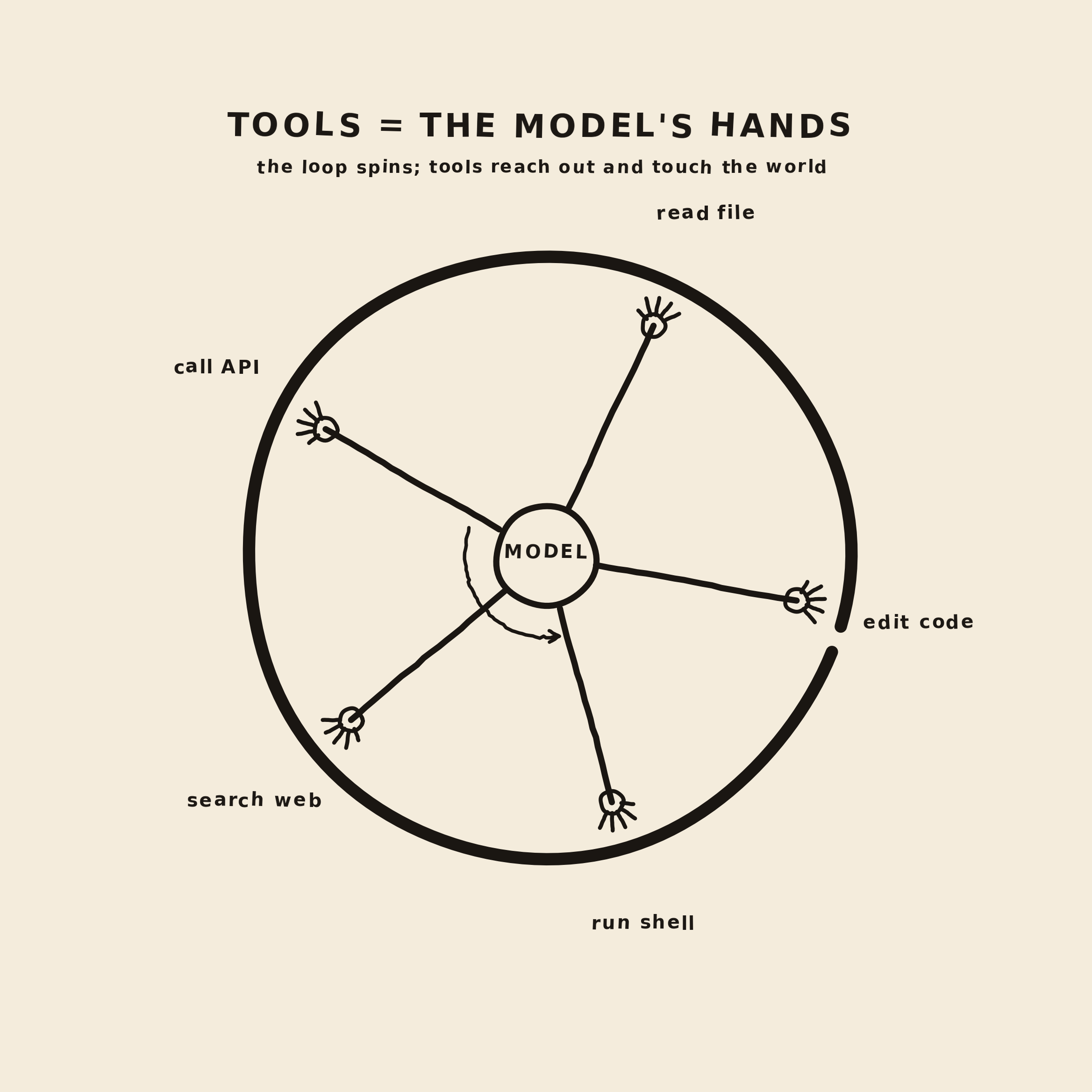
In the first post, we built the smallest useful coding agent loop: send messages to a model, let the model ask for a tool, run that tool in Python, append the result, and continue.
That loop is the heart of the system. But the tools are where the agent starts to interact with the world.
When it looks like a coding agent changed your project, what actually happened is: the model produced a structured request, and your program decided whether and how to perform it.
{
  "name": "write_file",
  "arguments": {
    "path": "hello.txt",
    "content": "hello"
  }
}
That JSON is not the actual action. It is the model asking for the action.
How does the model ask for a tool?
Tool calling can look like the model suddenly learned how to invoke functions! It did not. The model is still predicting the next response from the context it was given.
The difference is in the request we send to the model.
Alongside the normal messages, our chat request includes
a tools field. That field describes the
actions the model is allowed to ask for: names,
descriptions, argument schemas, and which arguments are
required.
response = client.chat.completions.create(
    model=MODEL,
    messages=messages,
    tools=tools,
    tool_choice="auto",
)
From the model's point of view, those tool definitions become part of the problem. It sees something like: "You may answer normally, or you may request one of these tools using this argument shape."
So when the user asks, "What is inside
notes.txt?", the model predicts that a
normal text answer would be premature. It does not know
the file contents yet. The best next move is to ask for
read_file.
{
  "role": "assistant",
  "content": null,
  "tool_calls": [
    {
      "id": "call_abc123",
      "type": "function",
      "function": {
        "name": "read_file",
        "arguments": "{\"path\":\"notes.txt\"}"
      }
    }
  ]
}
The assistant message does not contain the answer yet.
It contains a
tool_calls field. The function name is one
of the tools we exposed. The arguments are structured
data that match the schema.
Then the harness parses that proposal and decides what to do with it:
message = response.choices[0].message

for tool_call in message.tool_calls:
    name = tool_call.function.name
    arguments = json.loads(tool_call.function.arguments or "{}")
    result = run_tool(name, arguments)
After the tool runs, we append the result as a new
message with the same tool_call_id. That id
is the thread connecting the model's request to the tool
result.
{
  "role": "tool",
  "tool_call_id": "call_abc123",
  "content": "Loop is a tiny coding agent experiment."
}
Now the model gets another turn. This time it can see both its own request and the result. Only then can it answer the user.
The boundary is the product
This is the most useful way to think about tools: tools are the boundary between language and action.
On one side of the boundary is the model. It is good at reading context, forming plans, and choosing the next move. On the other side is your code. You own the filesystem, the terminal, the network, permissions, output limits, and failure modes.
1. model chooses intent
2. harness executes code
3. tool result goes back into context
4. model decides again
Start with tiny tools
In the first loop, we exposed two tools:
list_dir and read_file. That
was enough for the model to inspect the workspace.
To make the loop feel more agentic, let's add one more
tool:
write_file. This lets the model create or
replace a text file inside the workspace.
{
    "type": "function",
    "function": {
        "name": "write_file",
        "description": "Write a text file inside the current workspace.",
        "parameters": {
            "type": "object",
            "properties": {
                "path": {
                    "type": "string",
                    "description": "File path relative to the workspace."
                },
                "content": {
                    "type": "string",
                    "description": "Complete text content to write."
                }
            },
            "required": ["path", "content"]
        }
    }
}
That schema is part of your product. It is how you explain the available action to the model. A vague tool tends to produce vague behavior, so aim for clarity.
Tools teach the model what it can try
A tool is not only a function. It is also an affordance:
a visible action the model can choose. If the model needs
exact file contents and read_file exists,
the next move is obvious. If the model needs to verify
behavior but has no way to run tests, the loop cannot
really close.
This is why tool access is such a practical design problem. Too little access and the agent can only talk about work. Too much access and every action becomes harder to govern. Good tools make the useful action easy to choose and the dangerous action hard to take by accident.
Tool design is routing
Once an agent has more than one tool, it has a routing problem. The model has to decide which tool fits the next step. It does not inspect your Python implementation before choosing. It mostly sees the tool name, the description, and the input schema.
That means the tool description is not just decoration. It is one of the main signals the model uses to pick an action. Tool descriptions matter enough that they show up in agent architecture material, including the Claude Certified Architect materials.
A useful tool description does more than say what the function does. It should tell the model when to use the tool, what inputs are valid, what the tool will not do, and how it differs from nearby tools.
# weak
"Read a file."

# better
(
    "Read a UTF-8 text file from the workspace. "
    "Use this when you need exact file contents. "
    "For listing filenames, use list_dir instead. "
    "Path must be relative to the workspace."
)
Those boundary clauses matter. If you later add both
read_file and search_files,
the model needs to know the difference. Otherwise it may
use the expensive or vague tool when a precise one would
do.
The same principle applies to tool size. A tool named
manage_file that can read, write, delete,
rename, or search depending on the arguments gives the
model too many hidden paths. Smaller tools are easier to
choose and easier to protect.
# harder to route and harder to govern
manage_file(action, path, content=None)

# easier to route and easier to govern
read_file(path)
write_file(path, content)
list_dir(path)
There is another important lever:
tool_choice. In our first loop we used
"auto", which means the model may answer
normally or may call a tool. If a step is mandatory,
such as "always classify the task first," do not rely
only on a strongly worded prompt. Force that first turn
to call the specific tool, then switch back to
"auto" after it runs.
response = client.chat.completions.create(
    model=MODEL,
    messages=messages,
    tools=tools,
    tool_choice={
        "type": "function",
        "function": {"name": "classify_task"},
    },
)
Finally, tool results need a clear error contract. The model should be able to tell the difference between "I looked and found nothing" and "I could not look." Those are different situations and should lead to different next actions.
{
  "ok": false,
  "error_category": "permission",
  "retryable": false,
  "message": "Cannot read files outside the workspace."
}
Where does MCP fit?
Our read_file and
write_file tools live directly inside
loop.py. That is perfect for learning. But
real agents usually need tools that live outside the
loop: GitHub, Linear, Slack, Postgres, browser
automation, documentation systems, logs, and internal
services.
Model Context Protocol, or MCP, is a standard way to put those capabilities behind a server that an agent can connect to. The model still does not execute the action itself. It proposes a tool call. The MCP client sends that request to an MCP server. The server runs the implementation and returns the result.
1. model proposes a tool call
2. agent harness / MCP client sends the request
3. MCP server executes the capability
4. result returns to the loop as context
MCP has three primitives worth knowing early:
-
Tools are actions the model can ask
to run, like
read_file,query_orders, orcreate_issue. - Resources are readable context, like a database schema, a project summary, an issue catalogue, or a document at a stable URI.
- Prompts are reusable instruction templates for common workflows.
In this article we focus on tools. But the distinction matters. If the agent only needs to read a schema, that may be a resource, not a tool. If the user wants to start a known workflow, that may be a prompt. If the model needs to take an action, that is a tool.
MCP also does not mean everything from a server is automatically shoved into the model's context. The agent still needs to choose what to read, what to call, and what results are worth carrying forward in the conversation.
The same design rules still apply. MCP does not make a vague tool precise. A good MCP server still needs well scoped tools, clear descriptions, tight input schemas, bounded output, and structured errors.
If you want the deeper version, Anthropic Academy has a free Introduction to Model Context Protocol course covering MCP servers, clients, tools, resources, and prompts. Their Model Context Protocol: Advanced Topics course goes further into production concerns like sampling, notifications, roots-based file access, transports, and scaling.
Add the tool implementation
Reuse the same safe_path function from
loop.py. The important rule is still the
same: paths are relative to the workspace, and the tool
cannot escape that workspace.
def write_file(path: str, content: str) -> str:
    target = safe_path(path)
    target.write_text(content)
    return f"Wrote {len(content)} characters to {path}"
Then teach run_tool how to dispatch it:
def run_tool(name: str, arguments: dict) -> str:
    if name == "list_dir":
        return list_dir(arguments["path"])
    if name == "read_file":
        return read_file(arguments["path"])
    if name == "write_file":
        return write_file(arguments["path"], arguments["content"])
    return f"Unknown tool: {name}"
Now change the user task so the model has a reason to use all three tools:
{
    "role": "user",
    "content": (
        "Inspect notes.txt, then write a short summary to summary.txt. "
        "After writing it, read summary.txt back to confirm what you wrote."
    ),
}
If the model follows the loop, you should see output like this:
tool call: read_file({'path': 'notes.txt'})
tool result:
Loop is a tiny coding agent experiment.

tool call: write_file({
  'path': 'summary.txt',
  'content': 'This project is a tiny experiment for understanding a coding agent loop.'
})
tool result:
Wrote 79 characters to summary.txt

tool call: read_file({'path': 'summary.txt'})
tool result:
This project is a tiny experiment for understanding a coding agent loop.
So nothing magical has happened here. The model asked. Your code wrote. The model observed the result. Pure engineering.
Tool results go back into context
At this point it's important to understand that tool output is not just logging. It becomes part of the model's next input. So your tool results also need a thought.
A good tool result is short, concrete, and useful for
the next decision. For write_file, this is
a good example:
Wrote 79 characters to summary.txtFor a terminal command, plain text is often not enough. The model needs to know whether the command succeeded, what went to standard output, and what went to standard error.
{
  "exit_code": 1,
  "stdout": "",
  "stderr": "ModuleNotFoundError: No module named 'openai'"
}
This is why run_bash should return
structured, bounded output. If the command prints ten
thousand lines, do not blindly paste all of it back into
the conversation. Truncate it, summarize it, or return
the tail with a note that output was clipped.
The tool shape changes the agent
A coding agent becomes more capable as you give it more tools, but more tools also increase the number of ways it can be confused.
These are useful primitives:
list_dir(path)read_file(path)write_file(path, content)run_bash(command)
That set is already enough to build a small coding assistant. It can inspect files, modify files, run checks, observe failures, and try again.
But it also introduces real design questions. Should
write_file overwrite files or require a
diff? Should run_bash allow any command?
Should the model be able to create new files outside the
current project? Should some operations require
confirmation?
Those questions are not model questions. They are harness questions.
Full loop.py
If you want to skip stitching the pieces together, here
is the whole file with list_dir,
read_file, and write_file.
import json
import os
from pathlib import Path

from openai import OpenAI


BASE_URL = os.getenv("LOOP_BASE_URL", "http://localhost:1234/v1")
API_KEY = os.getenv("LOOP_API_KEY", "lm-studio")
MODEL = os.getenv("LOOP_MODEL", "qwen/qwen3-coder-30b")
WORKSPACE = Path.cwd()

client = OpenAI(base_url=BASE_URL, api_key=API_KEY)


tools = [
    {
        "type": "function",
        "function": {
            "name": "list_dir",
            "description": (
                "List files in a workspace directory. "
                "Use this when you need to discover file names. "
                "Path must be relative to the workspace."
            ),
            "parameters": {
                "type": "object",
                "properties": {
                    "path": {
                        "type": "string",
                        "description": "Directory path relative to the workspace.",
                    }
                },
                "required": ["path"],
            },
        },
    },
    {
        "type": "function",
        "function": {
            "name": "read_file",
            "description": (
                "Read a UTF-8 text file from the workspace. "
                "Use this when you need exact file contents. "
                "For listing filenames, use list_dir instead. "
                "Path must be relative to the workspace."
            ),
            "parameters": {
                "type": "object",
                "properties": {
                    "path": {
                        "type": "string",
                        "description": "File path relative to the workspace.",
                    }
                },
                "required": ["path"],
            },
        },
    },
    {
        "type": "function",
        "function": {
            "name": "write_file",
            "description": (
                "Write a UTF-8 text file inside the workspace. "
                "Use this when you need to create or replace a whole file. "
                "Path must be relative to the workspace."
            ),
            "parameters": {
                "type": "object",
                "properties": {
                    "path": {
                        "type": "string",
                        "description": "File path relative to the workspace.",
                    },
                    "content": {
                        "type": "string",
                        "description": "Complete text content to write.",
                    },
                },
                "required": ["path", "content"],
            },
        },
    },
]


def safe_path(path: str) -> Path:
    resolved = (WORKSPACE / path).resolve()
    if not resolved.is_relative_to(WORKSPACE):
        raise ValueError("Path escapes the workspace")
    return resolved


def list_dir(path: str) -> str:
    target = safe_path(path)
    return "\n".join(sorted(p.name for p in target.iterdir()))


def read_file(path: str) -> str:
    return safe_path(path).read_text()


def write_file(path: str, content: str) -> str:
    target = safe_path(path)
    target.write_text(content)
    return f"Wrote {len(content)} characters to {path}"


def run_tool(name: str, arguments: dict) -> str:
    try:
        if name == "list_dir":
            return list_dir(arguments["path"])
        if name == "read_file":
            return read_file(arguments["path"])
        if name == "write_file":
            return write_file(arguments["path"], arguments["content"])
        return f"Unknown tool: {name}"
    except Exception as error:
        return json.dumps(
            {
                "ok": False,
                "error_type": type(error).__name__,
                "message": str(error),
            }
        )


messages = [
    {
        "role": "system",
        "content": (
            "You are a tiny coding agent. Use tools when you need to inspect "
            "or change the workspace. When you have enough information, "
            "answer clearly."
        ),
    },
    {
        "role": "user",
        "content": (
            "Inspect notes.txt, then write a short summary to summary.txt. "
            "After writing it, read summary.txt back to confirm what you wrote."
        ),
    },
]


while True:
    response = client.chat.completions.create(
        model=MODEL,
        messages=messages,
        tools=tools,
        tool_choice="auto",
    )

    message = response.choices[0].message
    messages.append(message.model_dump(exclude_none=True))

    if message.content:
        print("\nassistant:")
        print(message.content)

    if not message.tool_calls:
        break

    for tool_call in message.tool_calls:
        name = tool_call.function.name
        arguments = json.loads(tool_call.function.arguments or "{}")

        print(f"\ntool call: {name}({arguments})")
        result = run_tool(name, arguments)
        print(f"tool result:\n{result}")

        messages.append(
            {
                "role": "tool",
                "tool_call_id": tool_call.id,
                "content": result,
            }
        )
Where we are now
After adding write_file, the Loop has
crossed an important stage. The model can now ask to
change the workspace.
Once tools can write files, the harness becomes the product. Next we will look at the layer that validates tool calls, enforces permissions, handles errors, and decides what gets returned to the model. Stay tuned!